01
Familiar by design
Edit and Mix windows, edit modes, tools, playlists, memory locations and AudioSuite-style processing — the Pro Tools workflow, rebuilt clean-room in Rust.
01 / SoundCraft Audio workstation · Pre-alpha
01 SoundCraft
An Edit window for arranging, a Mix window for balancing, playlists, memory locations, edit modes and tools — the workflow audio engineers have used for years, rebuilt clean-room in Rust and running in your browser. Multitrack recording and editing, ten sends and inserts per track, breakpoint automation, MIDI with a piano roll and a score editor, and immersive formats up to 9.1.6 — a free, open-source Pro Tools alternative that needs no account and never uploads your music. Open the SoundCraft workstation — free and open source.
Runs in your browser — free and open source
02 / Fonctionnalités
01
Edit and Mix windows, edit modes, tools, playlists, memory locations and AudioSuite-style processing — the Pro Tools workflow, rebuilt clean-room in Rust.
02
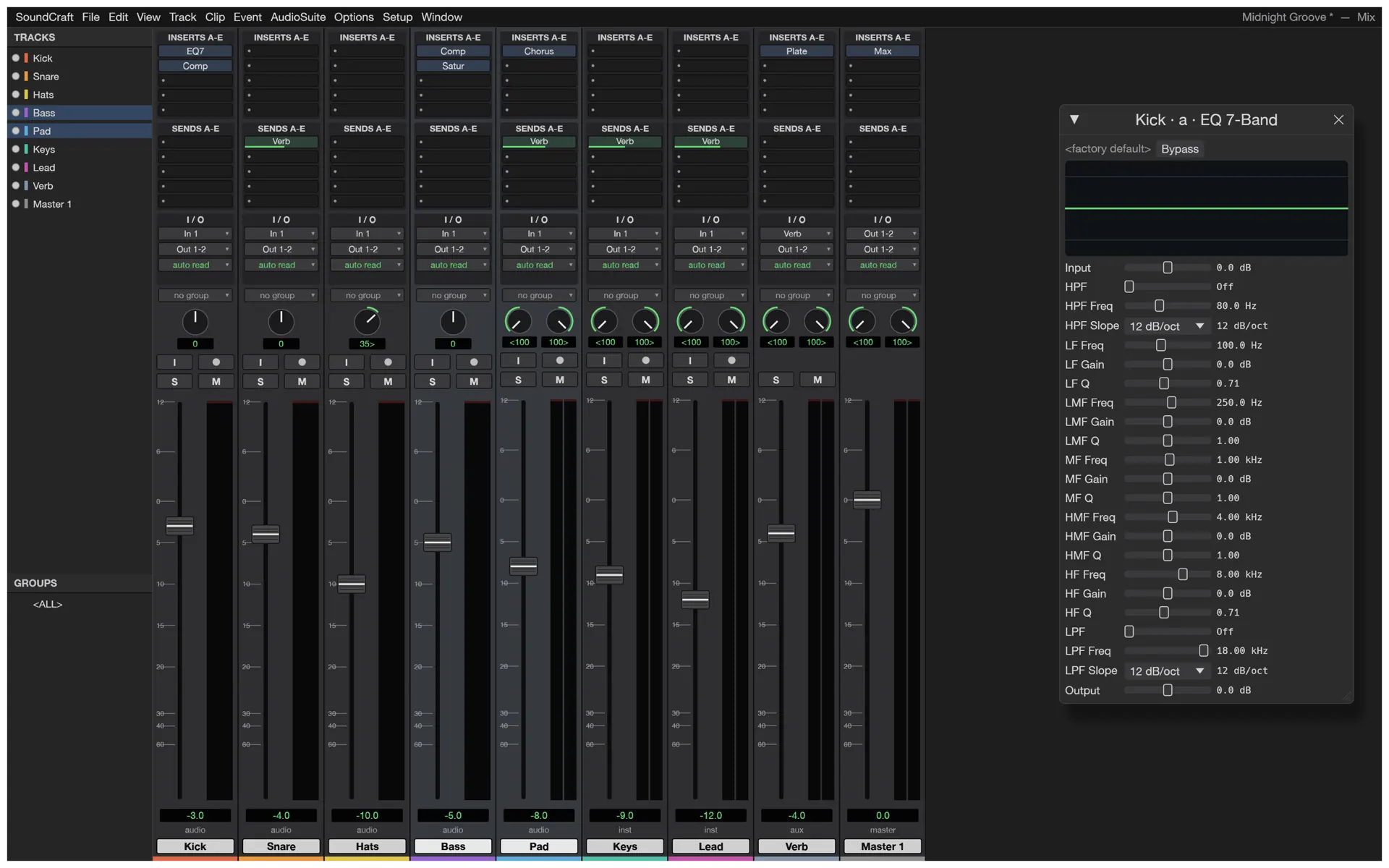
Ten inserts and ten sends per track, busses and aux inputs, master faders, VCAs, routing folders, solo-in-place with implicit solo, meters with peak hold.
03
Breakpoint automation for volume, pan, mute, sends and every plugin parameter, written live in Write, Touch and Latch.
04
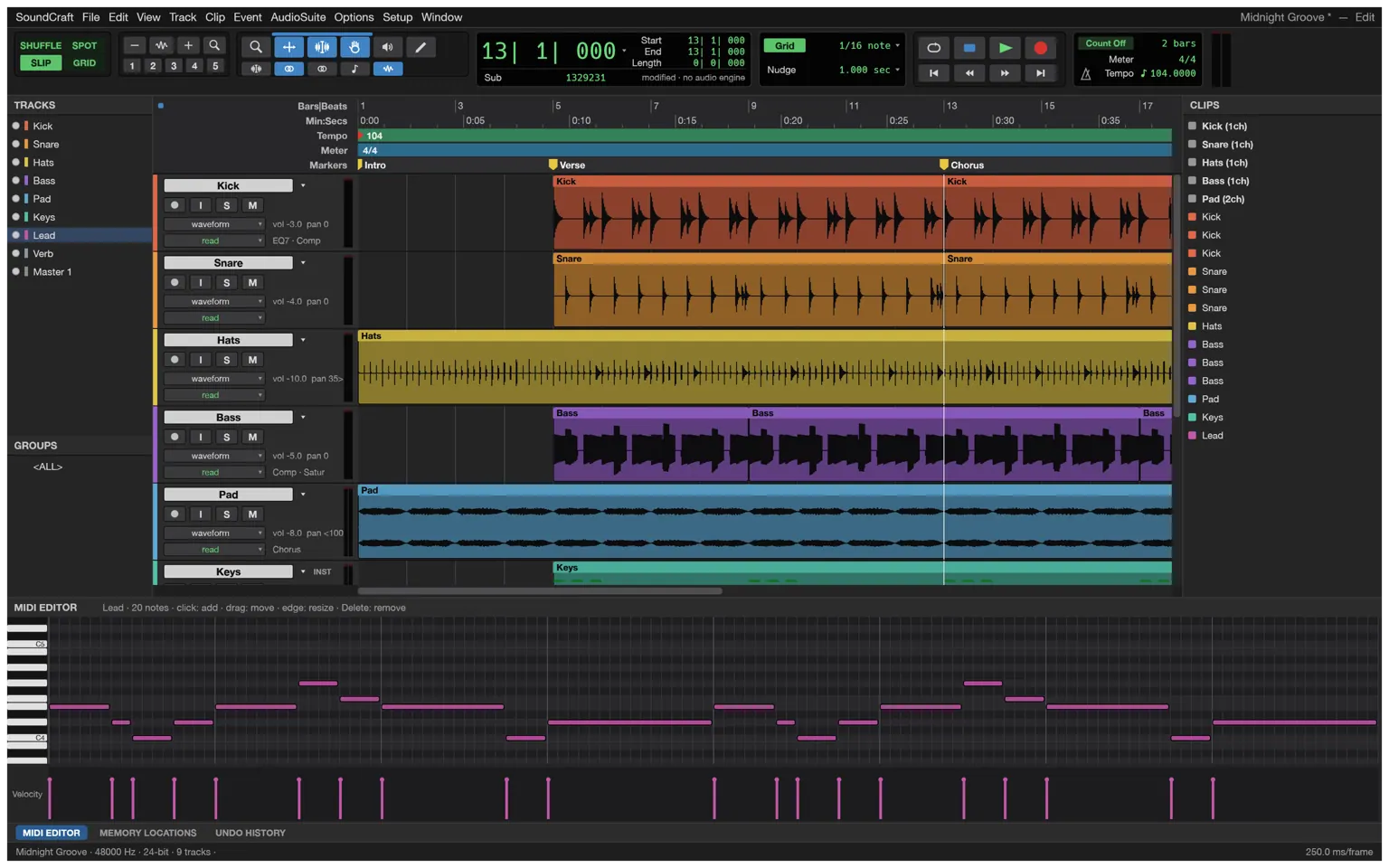
Instrument tracks with built-in synths, a piano roll with velocity lane, step input, quantize and transpose, Standard MIDI Files, and a Score Editor that exports MusicXML.
05
Every action is drivable through a JSON control protocol, and the engine ships an MCP server (soundcraft-cli mcp) — Claude and other agents can build sessions, edit and bounce headlessly, with screenshots and clicks on the live app.
06
Main and bus formats from stereo to 9.1.6 and Ambisonics, a surround panner with divergence and height, object/bed routing and a Renderer window with live speaker levels.
03 / Made for
01
Lay down tracks, comp the takes on playlists, cut and crossfade on the grid, then ride the fades with real automation.
02
A video track with thumbnails and timecode — H.264 and ProRes decoded in pure Rust — while the Score Editor notates the cue for MusicXML hand-off.
03
From stereo beds to 9.1.6 objects: pan with divergence and height, route beds and objects, and watch the Renderer’s live speaker levels.
04 / Fonctionnement
SoundCraft boots in the browser — no download, no account, no subscription. Start an empty session or open one from your device.
Arm tracks and record, or drag in WAV, AIFF, FLAC, MP3 or AAC files — imported media keeps its timestamps and channel masks.
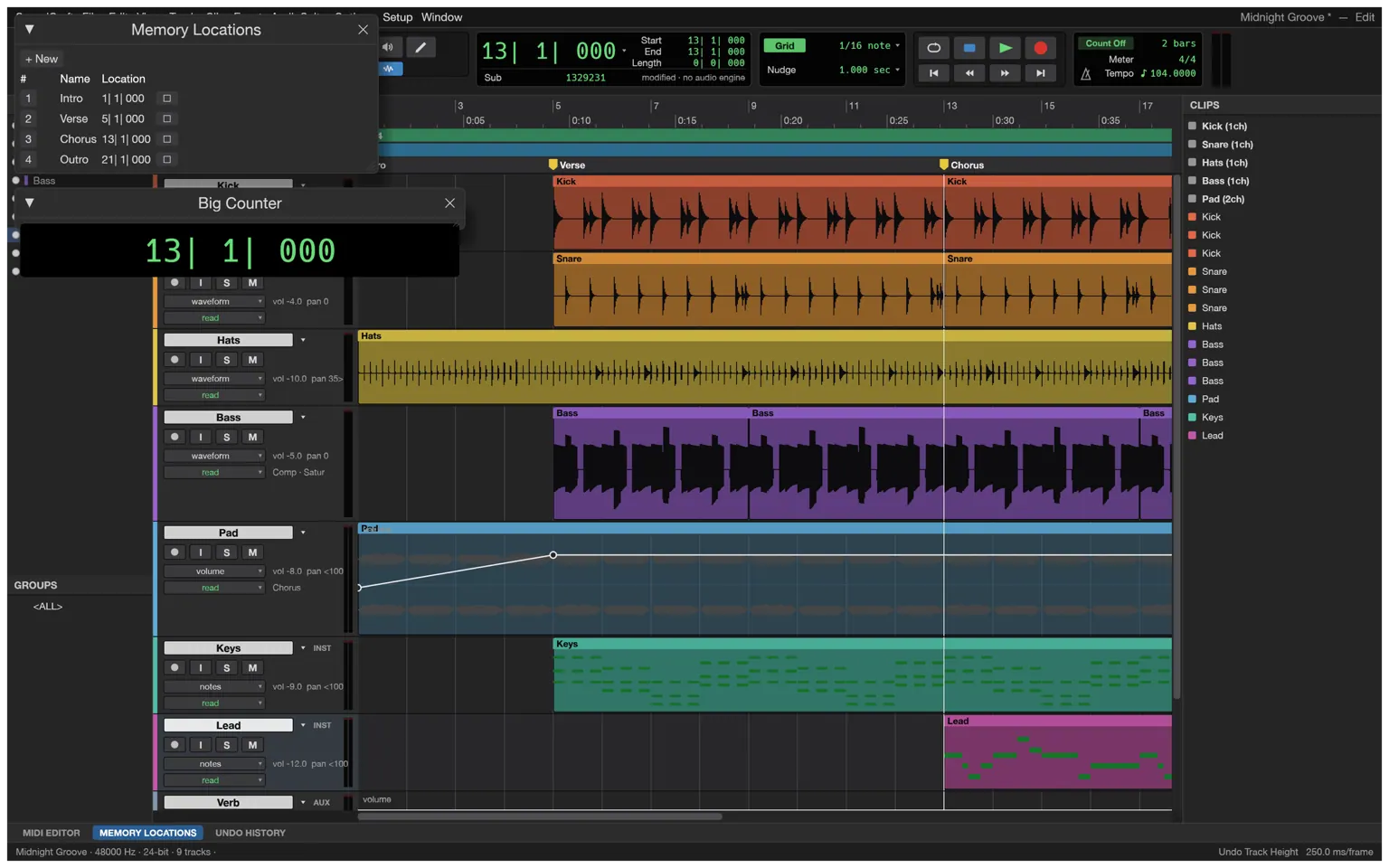
Cut, slip and crossfade on the grid; comp takes across playlists; drop memory locations and navigate the big counter.
Balance on the Mix window — inserts, sends, busses and VCAs — then draw or play in automation for every move.
Bounce the mix as WAV (with TPDF dither) or MP3, export stems, MIDI and MusicXML — all written by the engine’s own Rust code.
05 / Formats
Sessions live in SoundCraft’s open .scraft format — plain JSON with embedded plugin state — and media moves through the standard formats.
| Format | Support | Notes |
|---|---|---|
| WAV / BWF | read + write | PCM 16/24/32, float 32, bext metadata, TPDF dither on bounce |
| RF64 / BW64 | read + write | beyond the 4 GiB WAV limit |
| Multichannel WAV | read + write | WAVE_FORMAT_EXTENSIBLE with channel masks |
| AIFF / AIFF-C | read + write | native reader and writer |
| FLAC | import | decoded by SoundCraft’s own codec |
| MP3, AAC/M4A, Ogg Vorbis | import | compressed media straight into the session |
| Standard MIDI File | import + export | type 0 and 1 |
| MusicXML | export | from the Score Editor, for Sibelius and other notation programs |
| Session (.scraft) | import + export | documented JSON, plugin state embedded, Audio Files alongside |
06 / Le mixeur
The Mix window gives every track a real channel strip — input, inserts, sends, pan, fader and meter — and the session routes like a studio: busses and aux inputs, master faders, VCAs for group moves, routing folders for stems, solo-in-place with implicit solo. Automation is drawn and edited as breakpoints on the arrangement, written live while you play the faders in Write, Touch or Latch.
07 / Captures
08 / Obtenir SoundCraft
The whole workstation, compiled to WebAssembly — no download, no installer, no account. It boots like a web page and runs like a native app.
Launch the workstationInstall it as an app from your browser and SoundCraft keeps working without a connection — the shell, the engine and your last session are cached on your device.
Sessions and audio open from and save back to your device as .scraft and standard audio files. Nothing is uploaded — there is no server to upload to.
09 / FAQ
Yes. SoundCraft is free and open source under MIT OR Apache-2.0 — no subscription, no licence server, no telemetry. The web app needs no account.
Yes — SoundCraft is a complete DAW: multitrack recording, editing and arranging in the Edit window, with playlists, edit modes and memory locations following the workflow audio engineers already know.
Ten inserts and ten sends per track, busses and aux inputs, master faders, VCAs, routing folders, solo-in-place with implicit solo, and meters with peak hold — the Mix window, not a toy.
Breakpoint automation for volume, pan, mute, sends and every plugin parameter, written live in Write, Touch and Latch — plus memory locations and a big counter.
Instrument tracks with built-in synths, a piano roll with a velocity lane, step input, quantize and transpose, Standard MIDI File import and export, and a Score Editor that exports MusicXML for Sibelius.
Native WAV/BWF (PCM 16/24/32, float 32, with bext metadata), RF64/BW64 beyond 4 GiB, multichannel WAVE_FORMAT_EXTENSIBLE and AIFF; FLAC, MP3, AAC/M4A and Ogg Vorbis import; bounce with TPDF dither.
The engine speaks a JSON control protocol and ships an MCP server (soundcraft-cli mcp), and the browser editor connects to the hosted gateway: open https://soundcraft.live/editor/?mcp=
Not yet — the .ptx format is proprietary and undocumented. Sessions live in SoundCraft’s open .scraft format (plain JSON with embedded plugin state), and Standard MIDI Files import and export freely.
Yes. Install SoundCraft as an app from your browser and the shell, the engine and your last session are cached on your device; editing continues without a connection.
No. The workstation runs in the tab; audio opens from and saves back to your device. There is no server to upload to.
Main and bus formats from stereo to 9.1.6 and Ambisonics, a surround panner with divergence and height, object/bed routing and a Renderer window with live speaker levels.
10 / La famille
SoundCraft is one of a family of open crafting tools.
A full workstation — in a tab, for free.
Faire de la musique